
Didn’t find the answer you were looking for? Refine your search criteria below.
Popular searches: ‘Print Drivers’, ‘Scan to Email’, ‘Lines on Prints’
How do I return my empty toner containers?
Excel Business Systems encourages the proper disposal of empty toner cartridges and waste bottles to keep our environment safe & clean.
Canon has a toner cartridge recycling program that allows customers to return used toner containers for recycling. This is a simple program to use and their is no cost to you, the customer.
To properly dispose of your empty toner bottles (and spent waste toner containers) please click on the links in the images below:
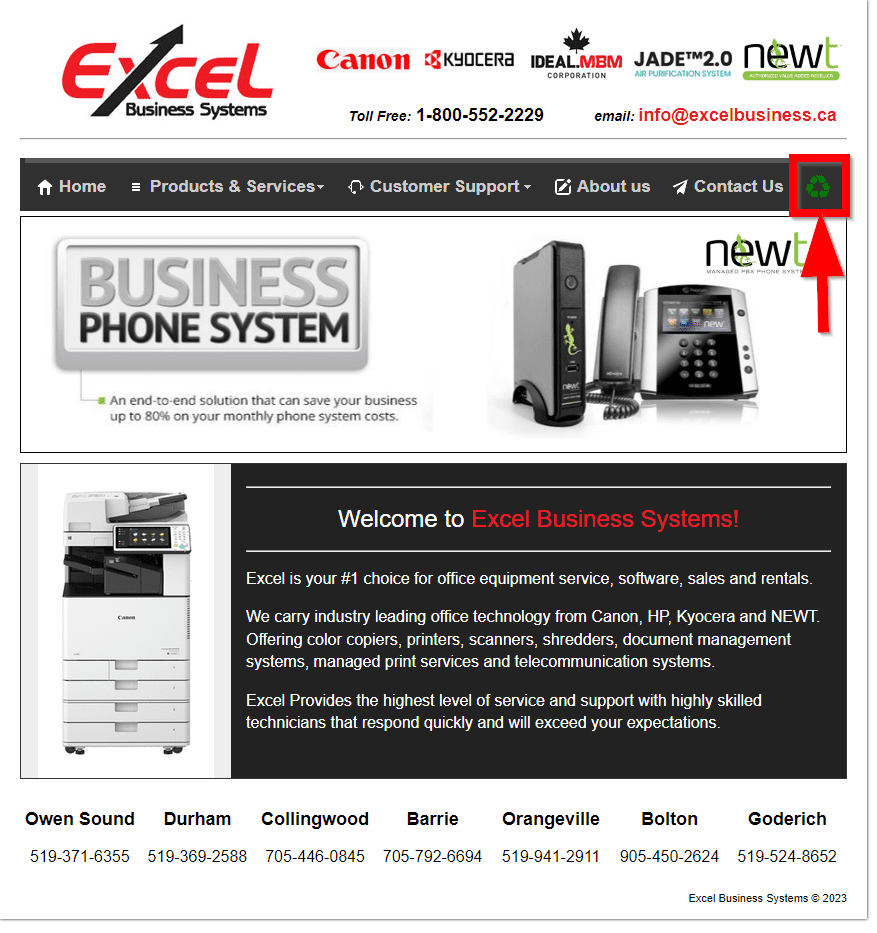
Start by visiting https://www.excelbusiness.ca add click the green recycle icon.
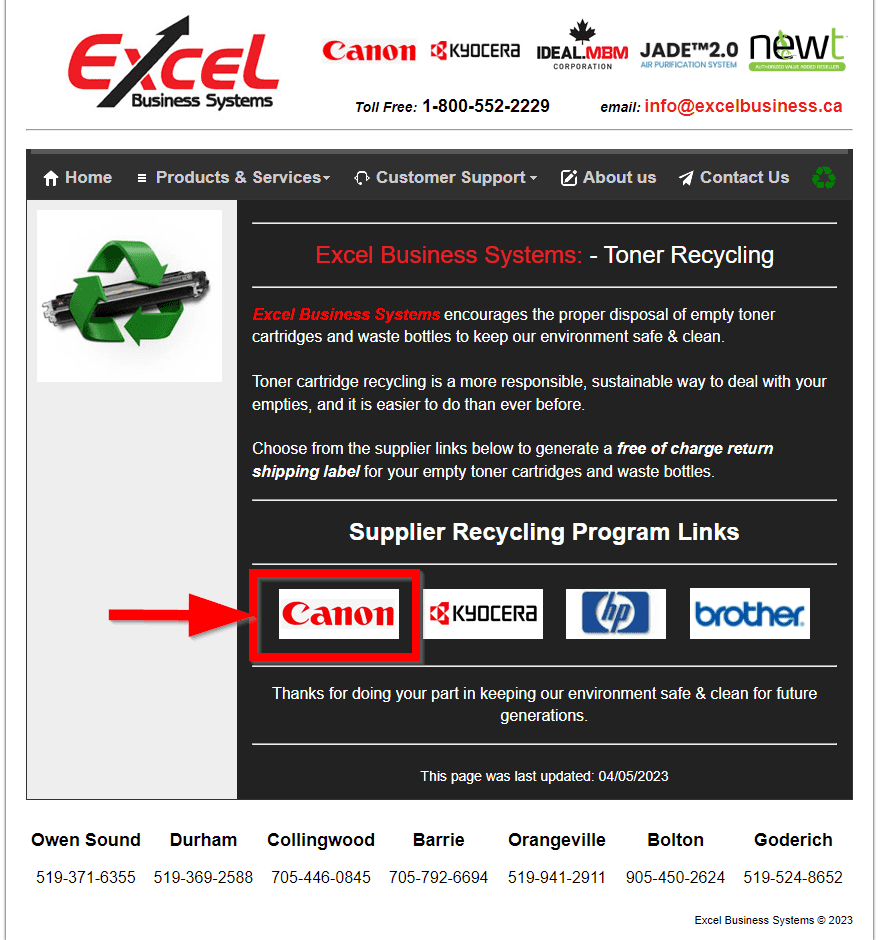
Next, click the ‘Canon’ Logo.
This will bring you to the ‘Canon Returns Portal’. Please follow the steps to create your return and print your shipping label. Please note that this is a free service to return you empty toner bottles and spent waste toner containers. All returns must be in their original packaging.
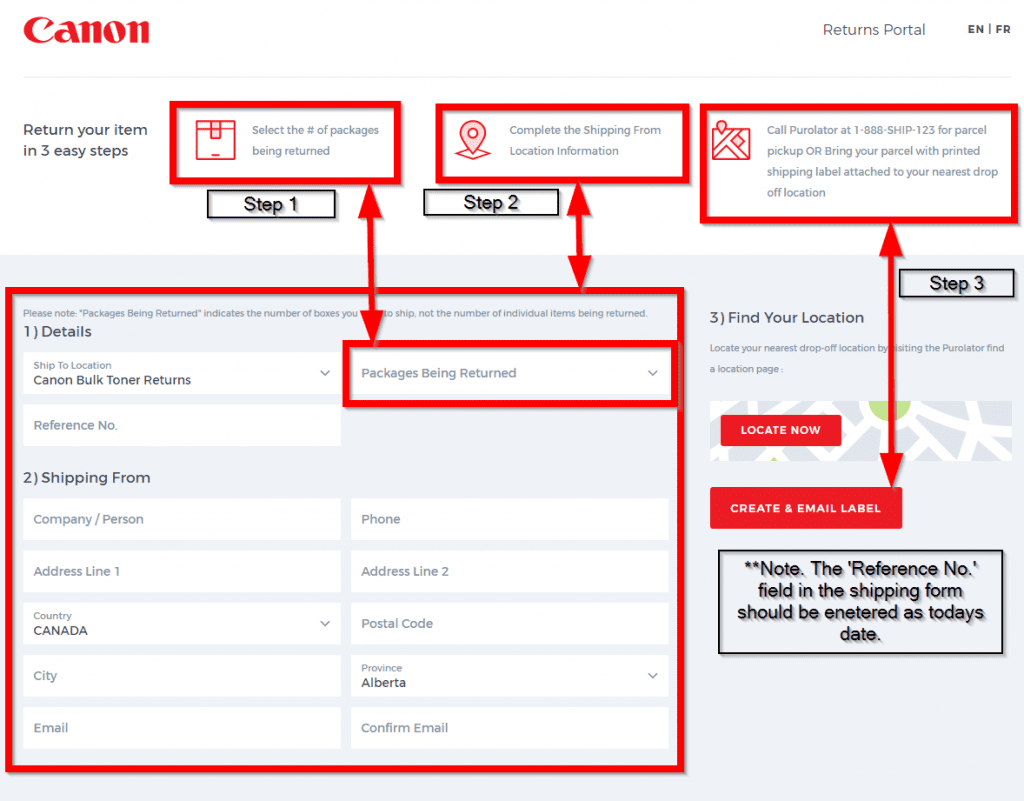
Once your returns form has been entered in the system, Purolater will process your returns and deliver to Canon for proper recycling.