
Didn’t find the answer you were looking for? Refine your search criteria below.
Popular searches: ‘Print Drivers’, ‘Scan to Email’, ‘Lines on Prints’
Counter Changes
In preparation for the changeover to E-Automate & Mobiletech, we need to reconfigure the colour counters on machines in the field. (This applies to Canon Colour devices not B/W machines)
***Major Accounts & Print Shop counters remain the same (do not change, call the office if you are unsure)
On all other colour devices, please make the following changes:
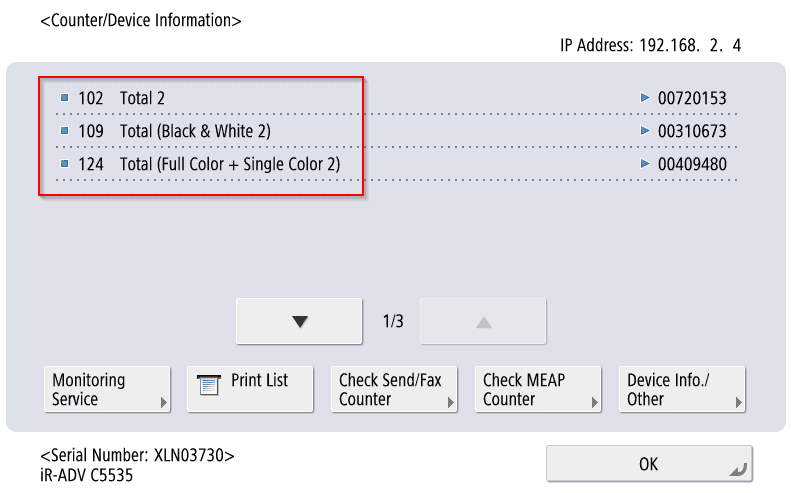
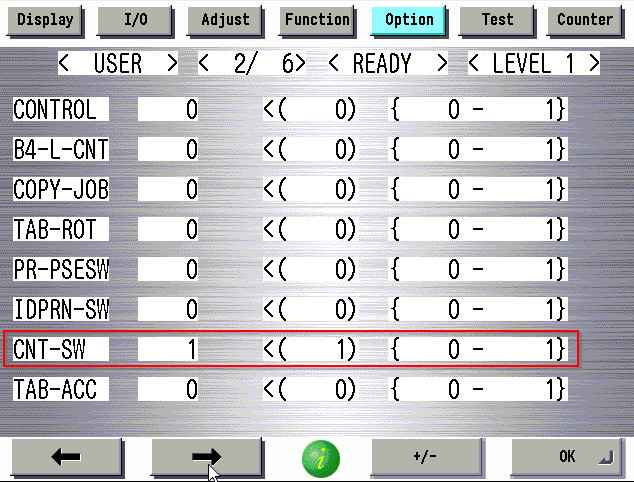
To change the 101 Total meter to reflect 102 , use the following setting in service mode:
Service mode (LVL 1) COPIER>OPTION>USER>CNT-SW=”1″
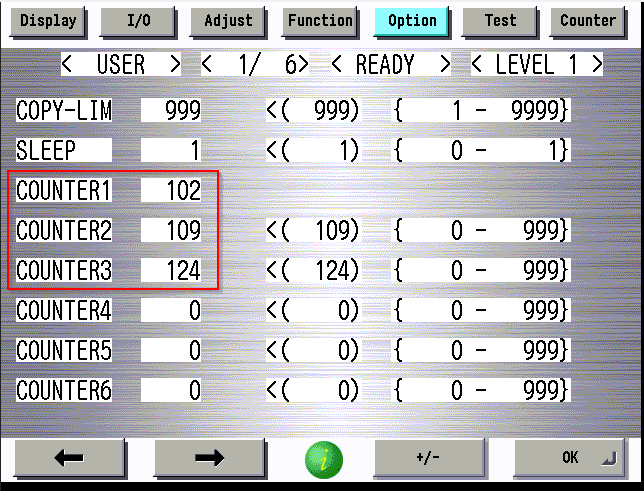
Set the remaining meters to 109 & 124:
Also please confirm that all devices you visit are properly labelled with the EID_Number. This is crucial for dispatch when identifying the correct machine when service calls a re placed. Contact the office if tyou are unsure of the EID_Number for the device you are working on.